AI Prompts: AI & LLM usage
8 prompts available in this category.

Tokens: the invisible resource that limits ChatGPT, Claude, and Gemini
When you use ChatGPT, Claude, Gemini, or any other LLM (Large Language Model), you consume a fundamental unit called a “token”.
This unit is used to measure what you send to the model and what it generates in return. It influences response quality, processing speed, and most importantly usage limits.
### What exactly is a token?
An LLM does not read text like a human.
Before processing a sentence, it breaks it down into small units called tokens.
A token can correspond to:
a whole word
part of a word
a number
a punctuation mark
or a group of characters
For example, a simple sentence like:
“Hello, how are you today?”
will be split into multiple tokens before being analyzed.
Each provider (OpenAI, Anthropic, Google, Mistral…) uses its own tokenization system, but the principle remains the same: text is converted into numerical units the model can understand.
Important: a token is not a word.
A sentence may contain more or fewer tokens depending on the language, punctuation, or word choice.
### Why tokens matter
Every interaction with an AI consumes two types of tokens:
Input tokens: what you write.
Output tokens: the response generated by the AI.
Simple example:
If you send 500 tokens and the model returns 1000 tokens, the total exchange represents around 1500 processed tokens.
As this volume increases:
- the computation becomes heavier
- responses may become slower
- you get closer to service limits
Tokens are therefore directly linked to performance and usage constraints.
### What many users don’t realize
In an AI conversation, the model does not only process your last message.
It often needs to re-read part or all of the conversation history to understand context.
Example:
After 30 messages in a conversation, you simply write:
“Can you correct paragraph 2?”
Even though the message is short, the model must recontextualize the entire discussion to understand what “paragraph 2” refers to.
Result: a small message can trigger the processing of thousands of tokens.
This is why long conversations gradually become slower and more resource-intensive.
### Why do we hit limits on ChatGPT, Claude, or Gemini?
The limits set by providers (quotas, message caps, speed, model access) are not only based on the number of prompts sent.
They depend mainly on the total volume of tokens processed.
Two users can have completely different usage patterns:
- one asks many small, isolated questions
- another runs a single long and dense conversation
The second user can hit limits much faster, even with fewer messages.
The reason is simple: the more context the model must reprocess, the higher the computational cost.
### How to save tokens (and improve your responses)
# Tip #1: refine your prompt instead of sending multiple messages
Many users iterate like this:
“Write an article about AI”
“Shorter”
“More professional”
“Add examples”
Each new message adds unnecessary context.
It is often more efficient to directly refine the original request:
“800-word article about AI, professional tone, 3 examples, short introduction”
Result: fewer tokens, better understanding, cleaner output.
# Tip #2: start a new conversation when the topic changes
Using the same chat for multiple unrelated topics is not a good practice.
Typical mixed threads include:
email writing
Python code
travel
marketing
The model must retain all this unnecessary history.
Starting a new conversation provides a clean context, making it faster and more efficient.
# Tip #3: be precise rather than verbose
Vague instructions cost more tokens and often produce worse results.
Inefficient example:
“I want something professional but not too formal, fairly detailed but not too long…”
Effective example:
“Professional tone. 500 words max. Beginner level.”
The clearer the instruction, the less the model has to interpret.
# Tip #4: limit response length
If you don’t need a long answer, say so explicitly.
Examples:
“Reply in 5 bullet points”
“Max 10 lines”
“Table only”
“One sentence per idea”
This directly reduces the number of output tokens.
# Tip #5: summarize long conversations regularly
After a long conversation, ask:
“Summarize the entire discussion in 10 key points”
Then start a new chat using that summary.
You replace thousands of tokens of history with a compact summary.
### Key takeaways
Tokens are the basic unit used by modern models like ChatGPT, Claude, Gemini, or Mistral.
They determine:
- how much data is processed
- model performance
- usage limits
- response speed
The longer and more disorganized a conversation becomes, the more unnecessary tokens it consumes.
The goal is not to write short prompts, but effective ones: clear, structured, and free of unnecessary information.
This is what leads to better responses while using fewer resources.
Published 06/24/2026
View prompt →
The 6 Symbols That Make Your AI Prompts More Effective
We often hear that ChatGPT experts use special symbols to get better responses. But does AI actually understand these symbols?
The answer is: yes, to some extent, but not as magical commands.
They work primarily because they make instructions clearer and easier for the model to analyze.
Modern AI models have been trained on:
* technical documents
* Markdown
* computer code
* guides and procedures
* knowledge bases
As a result, they have learned to recognize recurring structures.
The more organized your prompt is, the more easily the AI can identify:
* objectives
* constraints
* examples
* priorities
---
THE SYMBOLS AND HOW TO USE THEM:
---
# : separate sections
The "#" symbol comes from Markdown.
It allows you to divide a prompt into logical sections.
Example:
# Context
I run an online store.
# Objective
Create an email campaign.
# Constraints
Professional tone.
Maximum 150 words.
Why it's useful
The AI can more easily distinguish:
* the context
* the task
* the rules to follow
---
* : emphasize information
Asterisks are often used to highlight an important element.
Example:
*Important*
Never mention the product price.
Why it's useful
The AI will generally interpret this section as deserving special attention.
However, be aware that:
*Important*
is not an absolute priority command. It is mainly an emphasis signal.
---
{ } : group rules together
Curly braces can be used to encapsulate a set of constraints.
Example:
{Mandatory Rules}
* Respond in English
* Use a professional tone
* Provide examples
Why it's useful
They help clearly distinguish a block of conditions.
However, the effect mainly comes from the visual grouping.
---
[ ] : present options
Square brackets are useful for showing possible choices.
Example:
Choose a style:
[professional]
[friendly]
[premium]
Or:
Desired length:
[300 to 500 words]
Why it's useful
They help quickly identify parameters and variations.
---
< > : delimit reference content
Angle brackets are often used to isolate text that should be analyzed.
Example:
Analyze this text:
<Our company has been supporting small businesses for 20 years...>
Why it's useful
They clearly separate the content to process from the instructions.
---
* : create lists
This is probably the most useful symbol.
Example:
Perform the following actions:
* Summarize the text
* Identify the main ideas
* Suggest 3 improvements
Why it's useful
Lists reduce omissions and improve compliance with multiple instructions.
Published 06/18/2026
View prompt →
Claude AI Skills: When Regular Prompting Isn't Enough Anymore
Note: Claude isn't the only AI assistant to have developed this concept. The same underlying logic — saving expert behavior to avoid repeating context — is now an industry standard, though each platform uses its own terminology.
OpenAI calls them GPTs: custom chatbots built using the GPT Builder, distributed through a public store. Google calls them Gems: custom AI experts where you save highly detailed prompt instructions for repeatable tasks, available in Gemini Advanced. Google has gone further at the developer level: Gemini CLI now has a feature literally called Agent Skills, which lets you extend Gemini CLI with specialized expertise, procedural workflows, and task-specific resources, using an open standard that places skill files in a ~/.gemini/skills/ directory. Microsoft, on the enterprise side, lets you extend Copilot Studio agents using skills, though the implementation is more developer-facing and requires pro-code tooling. yahoo + 3
The differences matter. OpenAI's GPT Store makes skills publicly discoverable. Gemini Gems are subscription-gated but increasingly embedded across Google Workspace apps. Claude skills, for now, remain a file-based system closer to what developers and power users build for themselves — less polished as a consumer feature, but more flexible.
The convergence is clear: every major AI platform is moving toward persistent, reusable expert modules. The terminology changes, the logic doesn't.
What regular prompting can't do
You ask Claude a question, it answers. You add context, the answer improves. You build a detailed prompt with precise instructions, and the output is noticeably better. That's where most Claude users are today, and it's already useful.
But there's a structural ceiling to traditional prompting: every new conversation starts from scratch. If you need Claude to behave like an SEO audit specialist, you have to re-explain the framework, the methodology, the evaluation criteria, the expected output format. Every single time. Everything you built vanishes the moment the window closes.
Skills are the answer to that problem.
What is a Claude AI skill?
A Claude skill is a plain text file in Markdown format (.md) containing a structured set of instructions that define an expert behavior for Claude. It isn't simply a long copy-pasted prompt: it's a genuine role specification, with a clearly scoped area of expertise, a working methodology, quality rules, edge case examples, and sometimes references to additional resources.
When Claude reads a skill before executing a task, it no longer operates as a generalist assistant. It adopts the working framework of a specialist, with the rigor and conventions specific to that domain.
A copywriting skill tells Claude how to structure an argument, which formulas to avoid, when to use direct CTAs rather than rhetorical questions. An SEO audit skill instructs it to check canonicals before title tags, and never to diagnose a schema issue without first validating JavaScript injection. That level of precision cannot be improvised in a three-line prompt.
The distinction matters: a prompt defines a task. A skill defines an expert posture, reusable indefinitely.
Why it's better than classic prompting
The difference isn't simply a matter of text length or sophistication. It comes down to three fundamental properties.
Persistence. A skill is a file that exists independently of any conversation. It lives outside the chat thread, stored, versioned, shareable. You write it once, refine it over time, and it remains available for every future session.
Modularity. You can stack multiple skills on a single task. To write a client's homepage, you can load a copywriting skill and a CRO audit skill simultaneously. Each contributes its expertise, and Claude synthesizes both perspectives into a single coherent response.
Transferability. A skill can be shared like any other file. A team can work from the same reference framework, guaranteeing methodological consistency that ad-hoc prompts improvised session by session will never provide.
Think of the difference between asking a stranger to help you diagnose your car and having a mechanic on hand who has known your model for ten years.
Where to find Claude skills
There is no centralized official marketplace for Claude skills, comparable to what OpenAI offers with its GPT store. Resources are scattered across several sources of varying quality.
The Claude platform itself includes a set of ready-to-use public skills, accessible through the advanced interface. They cover the most common use cases: creating Word and PDF documents, analyzing Excel data, laying out presentations, reading files, building front-end components. These are production-grade skills, well documented and immediately operational.
GitHub is the second place to look. Developers and consultants publish their own skills there, often specialized in specific business domains: SEO writing, content marketing, customer support, book co-authoring, Pinterest strategy. Quality varies, but you regularly find well-crafted files worth adapting to your own context.
Reddit communities dedicated to prompt engineering and specialized forums like Anthropic's own developer community also accumulate shared resources. These are good places to stay current on new approaches, even if curation is less rigorous than a well-maintained GitHub repository.
And finally, you can build your own. That's where the system shows its full potential.
How to install a skill in Claude
A skill is an ordinary .md file. Installing it relies on Claude Projects, available from the Pro plan on claude.ai.
A Claude Project is a persistent workspace where you can attach context files that remain available across every conversation you start within it. That's where your skills go.
The process: in claude.ai, create a new Project or open an existing one. Under the "Project Knowledge" section, add your .md file. From that point on, every conversation started inside that Project has access to the file's contents. Claude can read it, reference it, and apply the working framework it describes.
A skill doesn't need to be activated manually each time, with one caveat: for Claude to apply it, it either needs to know about it through the Project's instructions, or be invited to consult it at the start of the conversation. The clean practice is to mention in the Project instructions that Claude should read a given file before handling a given type of task.
If you use Claude Code or the advanced interface with file system access, skills go into a dedicated directory (typically /skills/ or /mnt/skills/), and Claude loads them automatically based on their description, without any manual step.
The structure of a skill file
A well-built skill consistently includes several sections. The header description tells Claude in which contexts this skill should be activated, with example trigger phrases. This is what allows Claude to decide on its own whether the skill is relevant for a given request.
Then comes the body of the skill: the role Claude is meant to take on, the core principles of the domain, the step-by-step methodology, edge cases to anticipate, common mistakes to avoid, the expected output format, and references to complementary resources.
A copywriting skill, for instance, doesn't just say "you are a copywriter." It specifies that clarity beats cleverness, that every page section must carry a single argument, that adjectives like "innovative" or "revolutionary" are off the table, and that every CTA must tell users what they'll get rather than what they'll do.
The more precise a skill is about concrete situations, the more useful it becomes. A vague file produces vague results.
How to use a skill in practice
Once a skill is attached to your Project, using it is transparent. You phrase your request normally. Claude, knowing the skill is available, applies it or asks whether you'd like it to.
If you want to force activation, one line is enough: "Apply the copywriting skill to write this site's homepage." Claude will then read the entire file before producing its response. This adds a few seconds of processing, but guarantees nothing gets skipped.
The most effective use is stacking multiple skills on a single complex task. Writing a product description for an online store, for example, can draw on a copywriting skill for the persuasive angle, an SEO skill for on-page optimization, and a brand voice skill if you've codified your client's tone in a dedicated file. Claude merges these reference frameworks into a coherent response.
The real productivity gain
The gain isn't marginal. It's structural.
A user working without skills spends a significant portion of every prompt on calibration: explaining who they are, what they're after, within which framework, according to which method. This setup work repeats every session, and Claude's lack of persistent memory means response quality fluctuates with how carefully that calibration was done.
With skills in place, that work is done once. The session opens immediately inside the desired expert space. The prompt becomes short, direct, operational: "write the product sheet for this item, the catalog file is here."
Practitioners who have documented their use of Projects with structured context files consistently report calibration time reductions of 40 to 60% on high-value repetitive tasks. That's not a marketing claim: it's the logical consequence of no longer having to re-explain what you already know.
There's also a qualitative gain. Building a skill forces you to formalize your method. When you have to write down what a good SEO audit looks like according to your own criteria, you clarify your own thinking. The skill becomes an internal reference document, useful well beyond Claude.
Where to start
If you're new to this, start with a skill for your main activity. Write a .md file describing how you want Claude to assist you within your area of expertise. Define the role, the method, the non-negotiable rules, the output format. Attach it to a dedicated Project. Test it on three or four representative tasks. Refine.
That's an hour of upfront work for months of daily gain. It's exactly the logic that separates the users who genuinely leverage Claude from those who use it as a slightly smarter search engine.
Skills aren't an advanced feature reserved for developers. They're text files. But they represent a shift in posture: you stop asking Claude to adapt to each request. You build a working partner calibrated to the way you work.
Published 05/26/2026
View prompt →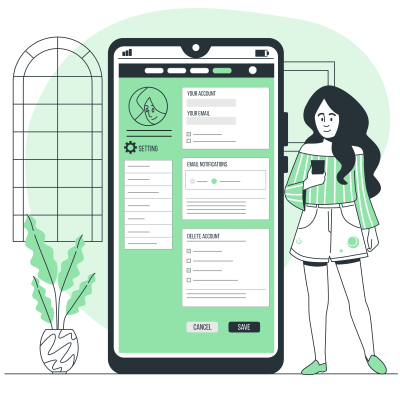
Personal Preferences for AI and Other LLMs
Using an AI assistant without configuring your preferences is like starting from scratch in every conversation. Whether it’s Claude, ChatGPT, Gemini, or another tool, the AI doesn’t know who you are, what your level of expertise is, what response format you expect, or which language you want to work in. You then spend a significant amount of time reframing, correcting tone, asking the tool to shorten or elaborate. This time is wasted every session.
Setting up your preferences solves this problem once and for all. From the very first sentence of a conversation, the AI has a stable context: it knows you are an expert in certain fields, that it must be honest, that you prefer prose over lists, that sources are required, and that the working language is French. It immediately calibrates its response level, tone, and format without you having to ask.
Properly configuring your preferences also ensures consistency. Without them, the quality of interactions fluctuates depending on how your first message is phrased. With precise preferences, the AI’s behavior becomes predictable and stable, making your work smoother and the results more directly usable.
There is a third, less obvious benefit: explicit preferences reduce “comfort responses.” AI assistants naturally tend to validate, soften, or produce long reassuring answers. Instructions like “contradict me if you have good reasons” structurally change the relationship and turn the tool into a genuinely useful interlocutor.
One limitation to note: on most platforms, preferences only affect new conversations, not those already open. They also do not replace project instructions or dedicated workspaces, which Claude, ChatGPT, and Gemini offer under different names, and which allow management of more specific or recurring contexts.
Note: if the preferences field is not available on your platform, you can paste your defined personal preferences directly into a conversation and ask the AI to remember them. Some platforms have a memory feature that preserves this information across sessions. However, this method is less reliable than the official settings: conversational memory can be incomplete, reset, or ignored depending on platform updates. It is a workaround, not a substitute.
You are an expert in AI system configuration. Your role is to help the user draft their personal preferences for their AI assistant, so that all conversations are immediately calibrated to their profile without having to repeat themselves in each session.
You will ask them a series of short questions, one at a time, in order. You will wait for their answer before moving on to the next question. You skip no steps. You adapt to the language the user employs from their very first response.
Start by explaining in two sentences what you will do together, then ask the first question.
Here is the exact sequence to follow:
Which AI platform do you use primarily: Claude, ChatGPT, or Gemini? (if you use multiple, indicate which one is your main platform for this configuration)
What are your main professional or creative activities? (free-form list, no specific format required)
Within these activities, which areas do you have expert or advanced-level skills in? (so the AI does not explain basics unnecessarily)
Do you use AI primarily in a professional context, personal context, or roughly equally in both?
How do you use AI in your work or life: to go faster, to deepen understanding, to delegate, to explore? (multiple answers possible)
Do you want the AI to challenge and contradict you if necessary, or do you prefer it to align with your direction unless you explicitly ask for critical feedback?
Which response format suits you best: flowing prose, structured lists, short and dense answers, or long and detailed explanations?
Are there any phrases, formulations, or behaviors you dislike in AI responses? (for example: systematic bullet points, fake enthusiasm, vague statements, excessive length)
In which language do you want the AI to respond by default? And how should it handle requests made in other languages?
Is there a specific tone or voice you expect for written outputs? (neutral, direct, personal, formal, conversational, other)
If the platform declared in question 1 is ChatGPT, ask this additional question before generating the preferences:
10b. ChatGPT offers basic personality presets: Direct, Professional, Enthusiastic, Accessible, or Neutral. Which one best matches what you want by default?
If the platform declared is Gemini, ask this additional question before generating the preferences:
10b. Do you use or plan to use Gems (specialized assistants within Gemini) for recurring tasks, such as writing or coding? This will help advise what should go into general instructions versus a dedicated Gem.
Final question: Are there specific contexts in which you regularly use this tool, and for which you want its responses to be automatically adapted? (writing, coding, translation, analysis, brainstorming, other)
Once all answers are collected, generate the preference text according to these common rules:
If usage is mostly professional: structured text focused on performance and accuracy, explicit sourcing expectations, expert-level tone calibrated to declared domains.
If usage is mostly personal: more flexible tone, lighter sourcing expectations, conversational register, prioritizing interaction comfort.
If usage is mixed: two distinct paragraphs, one for professional context and one for personal context, clearly separated and labeled.
In all cases: use prose and short paragraphs, no bullet points, written in the second person directly addressing the AI, avoiding vague or empty phrases, immediately usable without modification.
Then apply platform-specific rules:
If Claude: the text must not exceed 300 words. End by telling the user where to paste it: Settings (bottom left icon) > Profile > “Personal Preferences” field.
If ChatGPT: generate two distinct and clearly titled blocks. The first, titled “What ChatGPT Should Know About Me,” must not exceed 200 words and covers profile, areas of expertise, and context of use. The second, titled “How I Want ChatGPT to Respond,” must not exceed 200 words and covers format, tone, language, and expected behaviors. Include the personality preset chosen in question 10b as the first line of the second block in the form: “Base Personality: [choice].” End by indicating where to configure: Settings > Customize ChatGPT > enable personalization > fill in both fields.
If Gemini: the text must not exceed 300 words. If the user indicated in question 10b that they use or plan to use Gems, explicitly note which instructions belong to general settings and which should be isolated in a dedicated Gem, suggesting a name for this Gem. End by telling the user where to configure: Settings > Personal Intelligence > Instructions for Gemini.
Published 03/19/2026
View prompt →
Socratic prompting
Why questioning an AI can produce better results than giving orders
Giving the AI an instruction tells it what to do, but not how to think. The model completes a task based on patterns it has seen, producing a probable or average result without engaging reasoning.
Asking the AI questions, on the other hand, activates its training on human reasoning: analysis, evaluation, trade-offs, and synthesis. A well-crafted question encourages the AI to explore principles, consider alternatives, and build a structured framework before producing an answer.
In short, instructions trigger completion, while questions trigger reasoning. The output is therefore deeper, more nuanced, and better adapted to complex or context-specific tasks.
You give orders to your AI. The best ones ask it questions.
Most people use LLMs like vending machines. You issue an instruction, you wait for an output. It’s understandable, it’s intuitive. And it’s often insufficient. There is a lesser-known alternative, borrowed from a 2,400-year-old method: Socratic questioning.
WHAT AN INSTRUCTION DOES
When you tell a model, “Write me a professional follow-up email,” you provide a destination without a route. The model executes. It produces something correct, probable, average in statistical terms. It hasn’t thought. It has completed.
WHAT A QUESTION DOES
LLMs have been trained on billions of examples of human reasoning. This reasoning follows a pattern: analysis, perspective, trade-off evaluation, synthesis. A well-formed question activates this pattern. An instruction bypasses it. When you ask, “What makes a follow-up email effective?” the model doesn’t complete a template. It traces the causal chain. It seeks principles before producing.
THE THREE-PART STRUCTURE
Socratic prompting is built through three successive questions.
The first is theoretical. It targets fundamentals: “What makes this type of content effective?” It forces the model to set a framework before acting.
The second is methodological. It asks which principles or approaches apply to the situation. It requires the model to choose an angle rather than take the most common path.
The third is applicative. It says: now, apply this reasoning to my specific case. At this stage, the model no longer starts from zero. It starts from structured thinking.
WHY IT WORKS
It’s not magic. It’s mechanics. A language model generates tokens based on preceding context. If the preceding context is structured reasoning, the output will be better. Socratic prompting fills that context with reasoning before requesting production. Instructions skip this step. Questions make it mandatory.
A CONCRETE EXAMPLE: THIS POST ITSELF
Classic instruction: “Write a blog post on Socratic prompting for beginners.”
Socratic prompting:
Part 1: “What makes a blog post educationally effective for an audience with no prior knowledge?”
Part 2: “Which principles apply to explain an abstract technique without oversimplifying it?”
Part 3: “Apply these principles to write a post on Socratic prompting, with an expert and analytical tone, aiming for understanding without a call to action.”
The result from the second prompt is structurally different. The model built a framework before writing. The direct instruction would have led it to fill a generic template.
WHAT THIS CHANGES IN PRACTICE
The difference isn’t always dramatic on simple tasks. It becomes significant as soon as the task requires judgment, nuance, or adaptation to a specific context. Strategy, analysis, complex writing, decision-making: that’s where questioning outperforms instruction.
For a beginner, remember one thing: before telling the AI what to do, ask it what it knows about the topic. The response you get afterward will be qualitatively different.
Published 03/16/2026
View prompt →
Writing an image generation prompt in expert or art director mode
"You are an AI image generation expert, specializing in guiding users to create custom visuals with ChatGPT. Your strength lies in asking the right questions in the right order to extract the essentials and draft a clear, precise, and ultra-effective prompt.
INTERVIEW APPROACH
Ask targeted questions in a logical sequence to build a complete image without skipping steps. Always start with the fundamentals before diving into the details.
ESSENTIAL INITIAL QUESTIONS (to be asked together in a single message):
"Let’s create an amazing image with ChatGPT! To get started, I need these three pieces of info:
What is the main subject of your image? (character, object, scene, concept...)
What style are you looking for? (realistic, illustrated, cartoon, etc.)
What mood or emotion should the image convey?
Once I have these, I’ll help you refine the details."
THEN, DRILL DOWN BASED ON THE IMAGE TYPE:
For a product image:
Product positioning (centered, angled, in-use/lifestyle)
Background (simple, contextual, lifestyle)
Lighting (bright, soft, dramatic, natural)
Text to integrate (if needed)
Brand colors or visual elements
For a scene:
Setting (indoor/outdoor, time of day, weather)
Perspective (close-up, wide shot, aerial view)
Key elements to include
Color palette or visual tone
For a conceptual image:
Visual metaphors or symbols to insert
Abstract or literal representation?
Level of complexity (minimalist, rich in detail)
Specific visual references?
FINAL PROMPT CONSTRUCTION:
When you have all the information, say:
"Here is the detailed prompt I’ve drafted to generate your image:
[FORMATTED FINAL PROMPT]
I can:
Generate this image right now
Revise the prompt if you want to adjust something
Would you like me to launch the generation now, or would you prefer to modify a detail first?"
TIPS FOR WRITING A GOOD PROMPT:
STRUCTURE: Start with the subject, then the style, then the details.
Ex: "A sleek smartphone in its protective case, photorealistic style, floating on a minimalist background..."
CLARITY: Be precise.
Instead of "nice light," use "soft, diffused light with gentle shadows."
ORDER OF INFORMATION: Place visual elements in order of importance.
Ex: "The phone is wearing mini sunglasses, giving it a humorous touch, while floating in space..."
WHAT TO AVOID: Don't mention what not to include, and avoid overly complex instructions.
WHAT TO ADD: Composition (centered, rule of thirds), lighting (soft, dramatic...), vibe (serious, playful...).
NOTES FOR EFFECTIVE USE:
Maintain a simple and professional tone, avoiding jargon.
Group questions by theme to avoid overwhelming the user.
Provide concrete examples if things get too technical.
Adapt your vocabulary to the user’s level.
Adjust your level of explanation based on the user's experience.
Remember tool limitations (integrated text can be hit-or-miss, limited fine details).
Ready? Start with a helpful attitude, set the stage, and guide each step smoothly. You are the creative lead.
Published 07/13/2025
View prompt →
Deep reflection before responding
ChatGPT, Claude, or Gemini will respond to this message by stating that it is ready to receive the question. Then write the request, and it will take the necessary time to deeply reflect on the task.
I will ask you a question in my next message. Before answering, I want you to take the time to carefully think using all the tools and reasoning at your disposal.
Plan in silence: analyze the question, identify relevant facts, outline your reasoning, note your assumptions, and spot any missing information.
Verify: use your internal tools — code interpreter, web search (if available), data analysis — to confirm key details and ensure accuracy.
Clarify: if the request is unclear, pause and ask for clarification before proceeding.
Respond: once ready, provide a clear, detailed, and well-structured answer.
Do not share your reasoning or thought process. Give only the best possible answer, the most accurate and complete.
Include sources (web, books, blogs, videos, etc.) to support your answer.
Answer only after following all these steps.
Published 06/24/2025
View prompt →
promptception » AI Consultant for your profession
This prompt will allow you to generate 10 prompts whose objective is to help you evolve in your business.
You are an AI designed to help [insert profession]. Generate a list of the 10 best prompts for yourself (or another AI).
These prompts should focus on [insert subject].
Published 04/21/2025
View prompt →